If you have just bought a new car, one of the first things you need to sort out is FASTag. Every vehicle on Indian national highways is required to have a FASTag fitted on the windscreen. Without it, you either pay double the toll fee in cash or get stuck in a queue while everyone else zips through the FASTag lane.
The good news is that getting FASTag for a new car is a simple process, and you have both online and offline options. In this guide, we will walk you through everything step by step, so you can get your new car ready for the highway without any confusion.
What Is FASTag and Why Does a New Car Need One
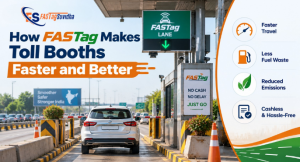
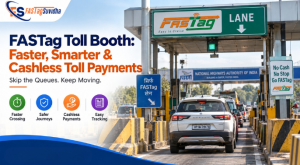
FASTag is a small prepaid tag that uses RFID (Radio Frequency Identification) technology to pay toll charges automatically. It is stuck on the inside of your car’s windscreen, and when your vehicle passes through a toll plaza, the toll amount gets deducted directly from the account linked to the tag. There is no need to stop, roll down the window, or hand over cash.
For a new car, FASTag is not optional. The Ministry of Road Transport and Highways has made it mandatory for all vehicles using national highways. Many car dealerships now fit a FASTag at the time of delivery, but if yours did not, you will need to apply separately before your first highway trip.
Documents Required for New Car FASTag
Before you apply, keep these documents ready. Having them scanned or photographed in advance will save you time during the application process.
- Vehicle Registration Certificate (RC), or the delivery invoice if the RC is not yet issued
- One KYC document such as Aadhaar Card, PAN Card, Voter ID, Passport, or Driving Licence
- A passport size photograph of the vehicle owner
- Vehicle registration number (once allotted)
If your car is brand new and the RC has not been generated yet, most FASTag providers accept the temporary registration number or the dealer invoice as a substitute until the permanent RC comes through.
How to Apply for FASTag Online
Applying online is the fastest and most convenient method, especially if you want to avoid visiting a bank branch or toll plaza. Here is how the process usually works.
Step 1: Choose a Trusted FASTag Provider
You can apply for FASTag through your bank’s net banking or app, through payment apps like Google Pay and PhonePe, or through a dedicated FASTag service provider. If you want a smoother experience with local support and doorstep assistance, you can recharge and manage your FASTag through Fastag Suvidha, which works with all major FASTag issuing banks.
Step 2: Fill in Your Vehicle and Owner Details
You will need to enter your vehicle number, vehicle class (car, jeep, van, and so on), and personal details like name, mobile number, and address.
Step 3: Upload Your Documents
Upload clear photos or scanned copies of your RC and KYC document. Blurry or cropped images are the most common reason applications get delayed, so double check before submitting.
Step 4: Make the Payment
You will pay a one-time tag issuance fee along with a security deposit, and you can also add an initial recharge amount at the same time. Most providers keep this combined cost affordable for new car owners.
Step 5: Receive and Activate Your FASTag
Once your application is approved, the FASTag is delivered to your address. You then need to stick it on the inside of your windscreen, usually behind the rearview mirror, and activate it through the provider’s app by scanning the tag’s QR code or entering the tag ID.
How to Apply for FASTag Offline
If you prefer a face-to-face process or do not have strong internet access, offline application is still widely available.
- At your car dealership: Many dealers now issue FASTag along with the car delivery. Simply ask if this service is included.
- At a bank branch: Visit any bank branch that issues FASTag, such as your existing savings account bank, carry your documents, and fill out a physical application form.
- At toll plazas: Several toll plazas have Point of Sale (POS) counters where you can walk in, submit your documents, and get FASTag issued on the spot.
- Through a local FASTag agent: FASTag agents help with the entire process, from document collection to activation, and are especially useful in smaller towns where bank branches or online support may be limited.
Whichever offline route you choose, the documents and fees remain largely the same as the online process.
How Long Does FASTag Activation Take
For online applications, activation usually happens within a few hours to two days once your documents are verified. Offline applications through a bank branch or agent are often instant or completed within the same day. If you applied through a dealership, the FASTag may already be active by the time you take delivery of your car.
Once active, you will typically receive an SMS confirmation, and you can check your FASTag status any time through your provider’s app or by visiting the FASTag balance check page using your vehicle number.
FASTag Cost for a New Car
For a standard passenger vehicle like a car, jeep, or van, which falls under vehicle class 4, the cost typically includes three parts:
- Tag issuance fee: A small one-time charge for the physical tag, usually in the range of a few hundred rupees, though many providers waive this during promotional periods.
- Security deposit: A refundable deposit that is returned if you ever surrender the tag.
- Initial recharge amount: The minimum balance you load into the tag to start using it for toll payments.
These charges can vary slightly between banks and providers, so it is worth comparing before you apply. If you are unsure which vehicle class your new car falls under, our earlier guide on FASTag vehicle classification explains it in detail.
How to Recharge Your FASTag
Once your FASTag is active, you need to keep sufficient balance in it, or it will be blocked and you will not be able to pass through toll plazas. Recharging is simple and can be done in a few ways.
- Through your bank’s mobile app or net banking
- Through UPI apps like Google Pay, PhonePe, or Paytm
- Through a dedicated FASTag recharge service
If you want a quick and reliable option, you can recharge your FASTag online through Fastag Suvidha in just a few steps, without needing to log into multiple bank apps.
Common Problems New Car Owners Face With FASTag
Even after successful application, a few issues tend to come up often. Here is how to handle them.
FASTag not scanning at the toll plaza
This usually happens if the tag is not stuck properly on the windscreen, or if there is dust or a film cover over it. Make sure the tag is placed flat, without any bubbles, and nothing is covering it.
Low balance blocking toll payment
Set up low balance SMS alerts so you always know when it is time to recharge. Most providers also offer auto recharge options that top up the tag automatically once the balance falls below a set limit.
KYC not completed
As per RBI and NHAI rules, FASTag accounts without completed KYC can eventually be deactivated. Make sure you complete this step right after activation rather than leaving it for later.
Tag linked to the wrong vehicle number
Double check your vehicle number at the time of application. If there is a mismatch, contact your provider’s customer support immediately to get it corrected before your first highway trip.
Do You Need a Separate FASTag for Every New Vehicle
Yes. FASTag is linked to a specific vehicle’s registration number and cannot be transferred or reused for a different car. If you sell your old vehicle and buy a new one, you need to apply for a fresh FASTag for the new car and get the old one deactivated or surrendered.
Frequently Asked Questions
Yes, most providers accept the temporary registration number or delivery invoice, but you will need to update the permanent RC details once they are issued.
Yes, it is mandatory for all vehicles using national highways, including new cars, as part of the toll collection system managed by NHAI.
The combined cost of the tag fee, security deposit, and initial recharge is usually a modest amount, and it can vary slightly depending on the provider you choose.
Yes, when you apply online, most providers including Fastag Suvidha offer home delivery of the physical tag.
First check if it is properly stuck on the windscreen and has sufficient balance. If the issue continues, contact your provider’s customer support for further help.
Final Thoughts
Getting FASTag for your new car does not need to be complicated. Whether you choose the online route for convenience or the offline route for a more personal experience, the process takes only a few simple steps once your documents are ready. Make sure to keep your FASTag recharged and your KYC updated so your highway trips stay smooth from day one.
If you are looking for a simple and reliable way to apply, recharge, or manage your FASTag, Fastag Suvidha offers complete support for new car owners across India. And if you know friends or family who are also new car owners, do share this guide to help them get started too.