
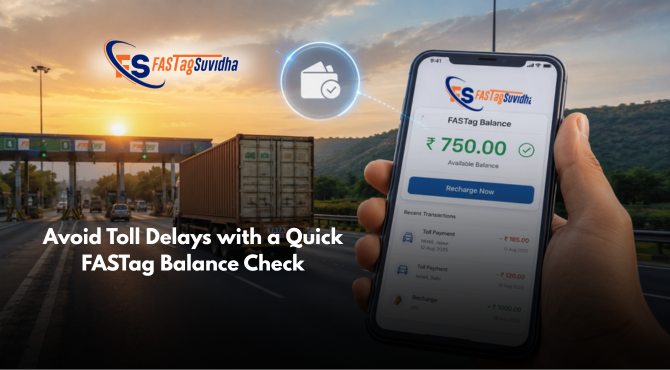
If you’re planning a highway journey, the first thing you should do is check FASTag balance online before you start driving. A sufficient FASTag balance ensures seamless toll payments, prevents unnecessary delays, and helps you travel without interruptions. Whether you’re a daily commuter, transporter, fleet owner, or occasional traveller, checking your FASTag balance takes less than a minute and can save valuable time at every toll plaza.
With Fastag Suvidha, you can conveniently view your FASTag balance, monitor recent toll deductions, and recharge whenever required. Instead of worrying about failed transactions at toll booths, you can stay prepared and enjoy a smoother travel experience.
In this guide, you’ll learn why checking your FASTag balance is important, how the process works, and the easiest way to manage your FASTag using Fastag Suvidha.
What Is a FASTag Balance?
FASTag is an electronic toll collection system developed under the National Electronic Toll Collection (NETC) program. A FASTag sticker is fixed to your vehicle’s windshield and uses RFID technology to communicate with scanners installed at toll plazas.
Whenever your vehicle passes through a FASTag-enabled toll lane, the toll amount is automatically deducted from the account or wallet linked to your FASTag. This makes toll collection faster, reduces waiting time, and supports cashless travel across India’s national highways.
Your FASTag balance is simply the available amount that can be used for toll payments. If the balance is insufficient, the transaction may fail, which can lead to delays and inconvenience during your journey.
For this reason, it is always recommended to check your balance before travelling, especially if your route includes multiple toll plazas.
Why Should You Check Your FASTag Balance Before Every Trip?
Many users only think about their FASTag after reaching the toll plaza. However, checking your balance beforehand is a simple habit that can help you avoid several common issues.
Avoid Delays at Toll Plazas
One of the biggest advantages of maintaining an adequate FASTag balance is uninterrupted toll payments. If your balance is low, the transaction may not be processed successfully, resulting in additional waiting time while the issue is resolved.
Plan Long-Distance Travel More Effectively
If you’re travelling across multiple states or covering long distances, knowing your available balance helps you estimate whether additional recharge will be required during the trip.
Monitor Your Toll Expenses
Checking your FASTag account regularly also allows you to review recent toll deductions and understand your travel expenses better. This is especially useful for businesses managing transportation costs.
Reduce the Risk of Failed Transactions
An insufficient balance can interrupt the automated toll collection process. Regular balance checks reduce the chances of payment failures and keep your journey smooth.
How to Check FASTag Balance Online Using Fastag Suvidha
Fastag Suvidha provides a simple and user-friendly platform to help you manage your FASTag account from anywhere.
Follow these steps to check your balance online:
Step 1: Visit Fastag Suvidha
Open the Fastag Suvidha website or mobile application.
Step 2: Sign In Securely
Log in using your registered mobile number and complete the OTP verification process.
Step 3: Open Your Dashboard
After logging in, you’ll be redirected to your dashboard where all your FASTag services are available in one place.
Step 4: View Your Available Balance
The dashboard displays your current FASTag balance along with other useful account information, including your recent toll transactions.
This allows you to know whether your balance is sufficient for your upcoming journey.
Step 5: Recharge If Required
If your balance is running low, you can recharge immediately using the available payment options and continue your journey without worrying about toll payment interruptions.
Benefits of Using Fastag Suvidha for FASTag Balance Check
Fastag Suvidha is designed to simplify FASTag management for both individual users and businesses. Instead of using multiple platforms for different services, you can manage everything from one place.
Some of the key advantages include:
- Quick and secure FASTag balance checks
- Easy access to recent transaction history
- Instant recharge options
- User-friendly interface
- Reliable customer support
- Convenient management of FASTag-related services
By providing these features through a single platform, Fastag Suvidha helps users spend less time managing toll payments and more time focusing on their journey.
Common Reasons Why FASTag Balance Becomes Low
Many users are surprised when they discover their FASTag balance is lower than expected. In most cases, this happens because of regular toll deductions over multiple trips. However, there are several other reasons you should keep in mind.
For example, if you’re travelling on highways with multiple toll plazas, the balance can reduce much faster than anticipated. Similarly, if more than one vehicle is linked to your account or you haven’t checked your balance for several weeks, you may not realise that your available amount is running low.
Making it a habit to review your FASTag balance before every trip helps you avoid these situations and ensures uninterrupted travel.
Other Ways to Check Your FASTag Balance
While Fastag Suvidha provides a convenient platform to manage your FASTag account, the balance can also be checked through other issuer-supported channels depending on your FASTag provider.
SMS Alerts
Most FASTag issuing banks and service providers send an SMS every time a toll amount is deducted. The message generally includes:
- Remaining FASTag balance
- Toll amount deducted
- Toll plaza name
- Date and time of the transaction
These alerts help you stay informed about every deduction without logging into your account.
Issuer Bank Portal or Mobile App
If your FASTag is issued by a bank, you may also be able to log in to the bank’s internet banking portal or mobile application to view your FASTag balance, recharge history, and recent transactions.
Customer Care Support
Some FASTag issuers also provide customer support services where users can obtain account-related information after completing the required verification process.
How to Recharge Your FASTag Instantly
Checking your balance is only half the process. If your available balance is low, it’s always better to recharge before starting your journey.
With Fastag Suvidha, recharging your FASTag is quick and convenient.
Step 1: Log In
Access your Fastag Suvidha account using your registered mobile number.
Step 2: Select Recharge
Choose the recharge option from your dashboard.
Step 3: Enter the Recharge Amount
Select an amount based on your travel requirements.
Step 4: Complete Secure Payment
Proceed with your preferred payment method and complete the transaction.
After a successful payment, your updated balance becomes available, allowing you to continue your journey with confidence.
Best Practices for Managing Your FASTag
A few simple habits can help you avoid payment issues and ensure uninterrupted travel.
Check Before Every Long Journey
Always verify your FASTag balance before travelling on highways, especially if your route includes multiple toll plazas.
Keep a Minimum Balance
Maintaining a reasonable balance helps avoid last-minute recharges and reduces the chances of payment failures.
Review Your Transaction History
Regularly reviewing your transaction history helps you monitor toll expenses and identify any unexpected deductions.
Enable Notifications
Transaction alerts help you stay updated whenever toll charges are deducted from your account.
Recharge in Advance
Instead of waiting until your balance reaches zero, recharge your FASTag whenever the balance starts getting low.
Common FASTag Balance Issues and Their Solutions
Sometimes users experience issues while checking or using their FASTag balance. Most of these problems can be resolved quickly.
Balance Not Updated
If your recent recharge isn’t reflected immediately, wait for a short period and refresh your account. In most cases, the balance updates automatically.
FASTag Not Working at Toll Plaza
This could happen due to insufficient balance, an inactive FASTag, or issues related to the issuing authority. Checking your balance before travelling significantly reduces the chances of this situation.
Incorrect Toll Deduction
If you notice an unexpected deduction, review your transaction history and contact the relevant support team for assistance.
FASTag Damaged
A damaged or improperly placed FASTag may not be detected correctly at toll plazas. Ensure your FASTag sticker is fixed properly on the windshield according to the issuer’s instructions.
Why Choose Fastag Suvidha?
Fastag Suvidha is committed to making FASTag management simple, secure, and convenient for individual vehicle owners as well as transport businesses.
Through a single platform, users can access essential FASTag services designed to simplify highway travel and account management.
With Fastag Suvidha, you can:
- Check FASTag balance online
- Recharge your FASTag quickly
- View transaction history
- Manage your FASTag account conveniently
- Access dedicated customer support
Fastag Suvidha also offers business opportunities through its FASTag Franchise, FASTag Reseller, and FASTag Channel Partner programs for entrepreneurs looking to expand digital payment services.
Frequently Asked Questions
You can log in to your Fastag Suvidha account using your registered mobile number and view your available FASTag balance directly from the dashboard.
It’s recommended to check your balance before every long-distance journey. Frequent highway users should review their balance regularly to avoid payment interruptions.
Yes. Fastag Suvidha allows eligible users to review recent FASTag transactions, making it easier to monitor toll expenses.
If your FASTag balance is too low to cover the toll amount, the transaction may not be processed successfully, which can result in delays at the toll plaza.
Yes. If your balance is low, you can recharge your FASTag through the available payment options on the Fastag Suvidha platform.
Final Thoughts
Checking your FASTag balance online is one of the simplest ways to ensure a hassle-free highway journey. It takes only a few minutes but helps you avoid unnecessary delays, failed toll payments, and last-minute recharges.
Fastag Suvidha makes FASTag management more convenient by providing an easy way to view your balance, monitor transactions, and recharge whenever required. Whether you’re an individual commuter, a frequent traveller, or a fleet operator, regularly checking your FASTag balance helps you stay prepared for every trip.
Before your next journey, take a moment to check your FASTag balance, review your recent transactions, and recharge if required. A little preparation today can help make your travel faster, smoother, and more convenient.