
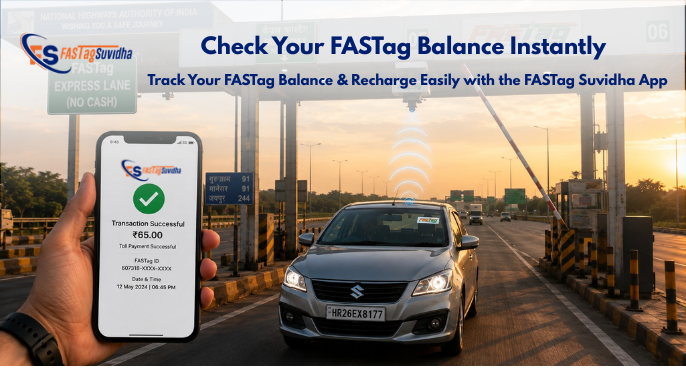
Picture this: you’re cruising down the highway, the toll plaza comes into view, and suddenly the barrier doesn’t lift. Behind you, a line of cars starts honking. The culprit is almost always the same – an empty toll wallet. With the Fastag Suvidha app, a FASTag balance check takes less than a minute, so you always know where you stand before you reach the plaza. Here’s exactly how the process works.
Why Checking Your Balance on Fastag Suvidha Matters
FASTag runs on a simple prepaid model -link it to your account, and the toll gets auto-debited every time you cross a plaza. That only works smoothly if there’s money sitting in the tag. Making a habit of checking through Fastag Suvidha helps you:
- Avoid toll-booth hold-ups caused by an empty wallet
- Skip the double-toll penalty some plazas apply to low-balance or blacklisted tags
- Plan long drives more accurately when several plazas lie ahead
- Track your toll spending from one dashboard instead of digging through bank statements
- Spot incorrect deductions early by comparing your balance against transaction history
A two-minute check before a long drive beats a ten-minute standoff at the barrier.
How the FASTag Balance Check Works on the Fastag Suvidha App
Fastag Suvidha gives every user a single dashboard to check balance, view transaction history, and recharge -without switching between different bank apps or portals. Here’s the full process.
Step 1: Log In to Your Account
Open the Fastag Suvidha app and enter your registered mobile number. If you’re a first-time user, follow the on-screen prompts to create your account and link your FASTag.
Step 2: Go to the Wallet or Account Summary Section
Once logged in, head to the Wallet (or Account Summary) area on your dashboard. This is where all your FASTag account information lives.
Step 3: View Your Current Balance
Your live FASTag balance is displayed clearly on this screen, along with a log of recent activity – toll deductions, recharges, and any pending transactions.
Step 4: Recharge If the Balance Is Low
If your balance needs a top-up, tap Recharge right from the same screen, choose your amount, and complete payment via UPI, debit card, or net banking. No need to leave the app or log in anywhere else.
That’s the entire process – one login, one dashboard, from checking to topping up.
Managing Multiple Vehicles on Fastag Suvidha
If you handle FASTags for more than one vehicle – a personal car and a family vehicle, or a small fleet -the Fastag Suvidha app lets you manage all of them from a single login. Instead of tracking separate bank accounts or apps per vehicle, every tag’s balance and transaction history sits in one wallet view, making it far easier to keep tabs on where recharges are needed.
Recharging Your FASTag on Fastag Suvidha
Once you spot a low balance during your check, recharging takes just a few taps:
- Open the Wallet section and select Recharge
- Choose your top-up amount
- Pay using any supported UPI app -BHIM, Paytm, PhonePe, or Google Pay – or a card/net banking
- Your balance updates instantly, and a confirmation is sent to your registered mobile number
Tips for Managing Your Balance Through Fastag Suvidha
- Check your balance before long trips, especially routes crossing several toll plazas
- Review your transaction history regularly on the app to catch any incorrect deductions early
- Keep your registered mobile number updated, since alerts and OTPs depend on it
- Recharge in advance rather than waiting until the balance hits zero
- Use one login for all your vehicles instead of separate accounts
Troubleshooting: Common Issues During a Balance Check
| Problem | Likely Cause | What to Do |
| Balance not updating after a transaction | Slight sync delay | Wait a few minutes, then refresh the app |
| Unable to log in | Incorrect or outdated mobile number | Update your registered number, or contact support |
| Recharge not reflecting in wallet | Payment processing delay | Check your payment confirmation, then refresh; contact support if it persists after some time |
| Balance appears incorrect | Cached app data | Log out and log back in |
Why Use Fastag Suvidha for Your Balance Checks and Recharges
- User-friendly interface built for quick, no-fuss balance checks
- Secure transactions protected with modern security mechanisms
- All-in-one platform – balance checks, recharges, and multi-vehicle management under a single login
- Instant alerts so you’re always aware of toll deductions and low-balance situations
Fastag Suvidha is also one of the largest FASTag agent networks in India. If you’re interested in issuing and managing FASTags for others, you can explore becoming a FASTag channel partner or franchise.
Frequently Asked Questions
Log in to the app with your registered mobile number, open the Wallet or Account Summary section, and your current balance along with recent transactions will be displayed instantly.
Yes – from the same Wallet screen, tap Recharge, select your amount, and pay via UPI, card, or net banking.
Yes, the Fastag Suvidha app lets you manage and check balances for multiple vehicles from a single login.
Yes, checking your balance and transaction history is completely free – only recharges involve a payment.
Log out and log back in to refresh cached data. If the issue persists, reach out to Fastag Suvidha customer support.
The Bottom Line
Knowing what’s left in your toll wallet is a two-minute habit that saves real time and money on Indian highways. With the Fastag Suvidha app, the entire process – login, check balance, view history, recharge -happens in one place, for one vehicle or an entire fleet. Download the app today and drive through every toll plaza without a second thought.
Download the Fastag Suvidha App | Explore Recharge Options | Become a FASTag Partner