
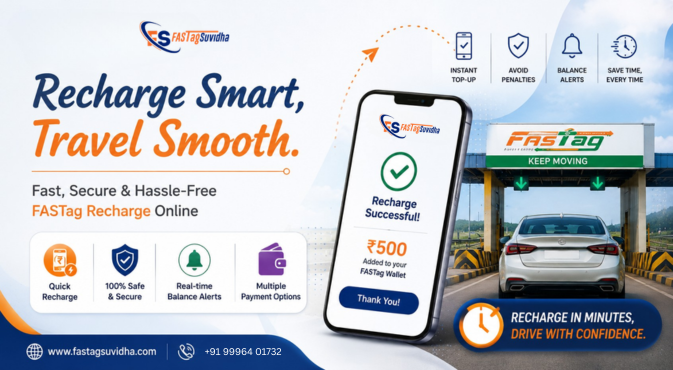
FASTag Recharge Online: Avoid Toll Penalties in 2026
FASTag recharge is an essential part of hassle-free highway travel in India. FASTag uses RFID technology to automatically deduct toll charges from the wallet linked to your vehicle, allowing you to pass through eligible toll plazas without making a cash payment.
However, if your FASTag balance is insufficient when you reach a toll plaza, the toll transaction may fail or be subject to applicable rules and charges. This can lead to delays and additional payment requirements.
The easiest way to avoid such problems is to check your FASTag balance regularly and recharge it before it becomes too low.
You can complete a FASTag recharge online from your smartphone using supported payment methods such as UPI, debit cards, credit cards, net banking, and digital wallets. The exact process can vary depending on your FASTag issuer and the platform you use.
In this guide, you’ll learn how to recharge FASTag online, how to recharge an IndusInd Bank FASTag, which payment methods are available, how to check your balance, and how auto-recharge can help you avoid last-minute problems.
What Is FASTag Recharge?
FASTag recharge means adding money to the prepaid wallet associated with your FASTag.
When your vehicle passes through a FASTag-enabled toll plaza, the applicable toll amount is automatically deducted from this wallet. This eliminates the need to stop and pay cash at the toll booth.
For automatic toll payment to work properly, your FASTag should be:
- Active and valid
- Correctly attached to the vehicle’s windshield
- Linked to the correct vehicle details
- Supported by sufficient balance
Regular FASTag balance checks and timely recharge can help you avoid payment problems during your journey.
Why Is FASTag Recharge Important?
Maintaining sufficient FASTag balance is important, particularly if you regularly travel on national highways.
If your wallet does not have enough funds when a toll transaction is attempted, you may experience:
- Toll payment failure
- Delays at the toll plaza
- The need to make an alternative payment
- Applicable penalty charges under prevailing rules
- Restrictions or other issues if dues remain unresolved
The exact treatment of an insufficient-balance transaction can depend on the circumstances and applicable NHAI, toll-plaza, and FASTag issuer rules.
For this reason, it is better to recharge your FASTag before your balance becomes critically low.
How to Recharge FASTag Online
The process for FASTag recharge online can differ slightly between banks and platforms. However, the general steps are straightforward.
Step 1: Open Your FASTag Service
Visit your FASTag issuer’s official website, mobile app, banking application, or an authorized recharge platform.
Depending on the service, you may need to log in using your registered mobile number or other account details.
Step 2: Complete OTP Verification
If OTP verification is required, enter the OTP sent to your registered mobile number.
Using the mobile number associated with your FASTag can help ensure that the correct account is accessed.
Step 3: Select FASTag Recharge
Look for an option such as:
- FASTag Recharge
- Wallet Recharge
- Tag Recharge
- Recharge FASTag
The name of the option may vary depending on the platform.
Step 4: Enter FASTag or Vehicle Details
You may be asked to enter or select:
- Vehicle registration number
- FASTag number
- Registered mobile number
- FASTag issuing bank
Check these details carefully before proceeding.
Step 5: Enter the Recharge Amount
Enter the amount you want to add to your FASTag wallet.
If you are preparing for a long highway journey, consider keeping enough balance to cover your expected toll charges along with a reasonable buffer.
Step 6: Select a Payment Method
Choose an available payment method, such as:
- UPI
- Debit card
- Credit card
- Net banking
- Digital wallet
Step 7: Complete and Verify the Payment
Authorize the transaction using your selected payment method.
After payment, check the transaction status and FASTag balance. This is particularly important if you are about to start a journey.
IndusInd Bank FASTag Recharge Online
If your FASTag is issued by IndusInd Bank, you can use the bank’s supported FASTag services to manage your account and recharge the wallet.
The typical process may include:
- Enter your registered mobile number and required details.
- Complete OTP verification.
- Select Wallet Recharge.
- Select the relevant vehicle or FASTag.
- Enter the required recharge amount.
- Choose an available payment method, such as UPI.
- Complete the payment.
- Check your FASTag wallet balance or transaction status.
The exact steps, payment options, and interface may change over time. Always follow the instructions displayed on the official IndusInd Bank FASTag service when making a recharge.
FASTag Recharge for Other Banks
FASTag is issued by multiple banks, so you do not necessarily need to use the same bank for every part of your payment process.
On a supported recharge platform, you may be able to recharge a FASTag issued by another participating bank.
The general process is:
- Enter your registered mobile number.
- Verify your mobile number using OTP if required.
- Select Tag Recharge or the relevant recharge option.
- Enter your vehicle number or FASTag details.
- Select the issuing bank.
- Enter the recharge amount.
- Choose a payment method.
- Review the details and complete the payment.
Make sure you select the correct issuing bank and vehicle details before making the payment.
FASTag Recharge Using UPI
FASTag recharge using UPI is a convenient option when you need to add money quickly.
After selecting UPI at the payment stage, you can authorize the transaction through your preferred UPI application.
UPI can be especially useful before a highway trip because you can complete the payment directly from your smartphone.
However, if your bank account has been debited but the FASTag balance has not changed, check the transaction status before making another recharge. This can help you avoid duplicate payments.
Other FASTag Recharge Payment Methods
Depending on your FASTag issuer and recharge platform, you may also have several other payment options.
Debit and Credit Cards
Eligible debit and credit cards can be used to recharge FASTag where card payments are supported. Check that your card is active and has sufficient available balance or credit limit.
Net Banking
Net banking allows you to make a FASTag recharge directly from your bank account.
Digital Wallets
Some platforms may support digital wallets for FASTag recharge. Availability depends on the specific service.
Before paying, check the payment methods displayed on the recharge page.
How Much FASTag Balance Should You Keep?
There is no fixed FASTag balance that is suitable for every driver.
Your ideal balance depends on:
- How often you travel
- Your usual highway routes
- The number of toll plazas you cross
- Your expected travel distance
- Applicable toll charges
If you use highways occasionally, checking your balance before a long trip may be sufficient.
Frequent highway travellers should consider maintaining a larger buffer so that the wallet does not reach a critically low balance during a journey.
A simple rule is to recharge before your FASTag balance reaches zero, rather than waiting until you are already approaching a toll plaza.
How to Check FASTag Balance Online
A FASTag balance check is useful before every long highway journey.
Depending on your issuer, you may be able to check your balance through:
- The FASTag issuer’s website
- Mobile banking or FASTag application
- SMS notifications
- Customer support services
- Supported FASTag management platforms
The exact balance-check method varies between issuing banks.
Before starting a long trip, check not only the available balance but also your recent transactions and FASTag status.
FASTag Auto Recharge: A Convenient Option
Manually recharging FASTag every time the balance becomes low can be inconvenient, especially for people who frequently travel on highways.
If your FASTag issuer supports auto recharge, you may be able to set a balance threshold and predefined recharge amount.
For example, an auto-recharge facility may be configured to add money when your wallet reaches a specified minimum balance, subject to the issuer’s terms and authorization requirements.
Potential benefits include:
- Less manual checking
- Lower risk of insufficient balance
- Convenient management for frequent travellers
- Easier management of multiple vehicles
- Reduced dependence on last-minute recharge
You should also keep transaction alerts enabled so that you can monitor automatic deductions and recharge transactions.
FASTag Recharge by Vehicle Number
Many users search for FASTag recharge by vehicle number because the vehicle registration number can be used to identify the relevant FASTag on supported platforms.
Where this option is available, you may need to enter your vehicle registration number and select the relevant issuing bank before proceeding with the recharge.
The exact information required depends on the platform.
Always verify the vehicle number displayed on the payment page before completing the transaction.
What to Do If FASTag Recharge Fails?
A FASTag recharge can occasionally remain pending or fail because of banking issues, payment gateway problems, connectivity problems, or other technical reasons.
If money has been deducted from your account but the FASTag wallet has not been updated, follow these steps:
1. Check Your Payment Status
Check your UPI app, bank account, card statement, or payment platform to see whether the transaction is successful, pending, or failed.
2. Check Your FASTag Balance
Refresh your FASTag account and verify whether the recharge has been credited.
3. Avoid Making Duplicate Payments Immediately
If the original transaction is still pending, wait for its status to be confirmed before attempting another payment where practical.
4. Save Your Transaction Reference
Keep the following information:
- Transaction ID
- Date and time
- Recharge amount
- Payment method
- Screenshot or payment confirmation
5. Contact Support if Required
If the amount remains debited without being credited or reversed within the applicable timeframe, contact your FASTag issuer or payment provider.
Providing the transaction reference can help the support team investigate the issue.
Can You Recharge FASTag 24/7?
Online FASTag recharge is generally available through supported digital payment channels at any time.
This means you can typically recharge without visiting a bank branch or waiting for a toll-plaza facility.
However, temporary technical issues, bank downtime, or payment processing delays can sometimes affect transactions.
For this reason, avoid waiting until you are directly at a toll plaza to recharge. If you are travelling a long distance, complete the recharge in advance and verify that the balance has been updated.
Frequently Asked Questions About FASTag Recharge
You can recharge FASTag online through your issuing bank’s website or app, FASTag portal, or another supported recharge platform. Enter the required vehicle or FASTag details, select the recharge amount, choose a payment method such as UPI or card, and complete the transaction.
Yes. UPI is supported on many FASTag recharge platforms. Select UPI during payment and authorize the transaction through your preferred UPI application.
Yes, supported platforms may allow you to recharge FASTags issued by participating banks. You may need to select the correct issuing bank and provide the requested vehicle or FASTag details.
A successful recharge may reflect shortly after payment, but the exact processing time can vary depending on the issuing bank, payment method, and transaction status. Check your FASTag balance before relying on a recent recharge for an immediate toll payment.
First, check whether the payment is pending, successful, or failed. Keep your transaction reference and contact the relevant payment provider or FASTag issuer if the amount is not credited or reversed within the applicable timeframe.
No. You only need to recharge when your existing balance is insufficient for your expected travel. However, checking your balance before a long journey is recommended.
Check your balance regularly, maintain a reasonable buffer, enable transaction alerts, and use auto-recharge if your FASTag issuer provides the facility.
Tips for Hassle-Free FASTag Recharge
Follow these simple practices to keep your FASTag ready for highway travel:
- Check your FASTag balance before long journeys.
- Recharge before your balance becomes critically low.
- Maintain a reasonable balance buffer.
- Use UPI for convenient online recharge where supported.
- Enable SMS and transaction alerts.
- Consider FASTag auto-recharge if available.
- Keep your registered mobile number updated.
- Review your FASTag transaction history regularly.
- Save transaction references for failed or pending payments.
- Confirm your FASTag is active before travelling.
- Verify the vehicle number and issuing bank before completing a recharge.
Final Word
Keeping sufficient balance in your FASTag wallet is one of the simplest ways to avoid toll-payment problems during highway travel.
With FASTag recharge online, you can add money to your wallet from your smartphone using UPI, debit or credit cards, net banking, or other supported payment methods.
Whether you have an IndusInd Bank FASTag or one issued by another participating bank, the basic recharge process is straightforward. Check your balance before travelling, maintain a reasonable buffer, and consider auto-recharge if your issuer supports it.
A few minutes spent checking and recharging your FASTag before a journey can help you avoid unnecessary delays and payment-related issues at toll plazas.
Check your FASTag balance today and recharge your wallet before your next highway journey.